
Asset Manager
Enterprise Asset Tracking for SharePoint Online & Mobile
Asset Manager delivers end-to-end property tracking for SharePoint Online with a companion mobile app for field scanning. Track government and commercial assets with RFID and barcode scanning, manage custody transfers, run physical inventory sessions, and maintain compliance with FAR 45/52.245 and FMR 102-35/36. The cross-platform mobile app supports NFC, camera barcode scanning, and GPS tagging with full offline capability. Built for property managers, custodians, and compliance officers who need auditable, regulation-ready asset management.
Unlimited users per site · 30-day free trial · No purchase required to start
Buy NowMobile App
A companion mobile app for iOS and Android is available for field scanning. Sign in with your organization's Microsoft 365 account to connect to your SharePoint tenant.
Screenshots
Asset Manager includes a cross-platform mobile app for field scanning alongside SharePoint web parts for administration and reporting.
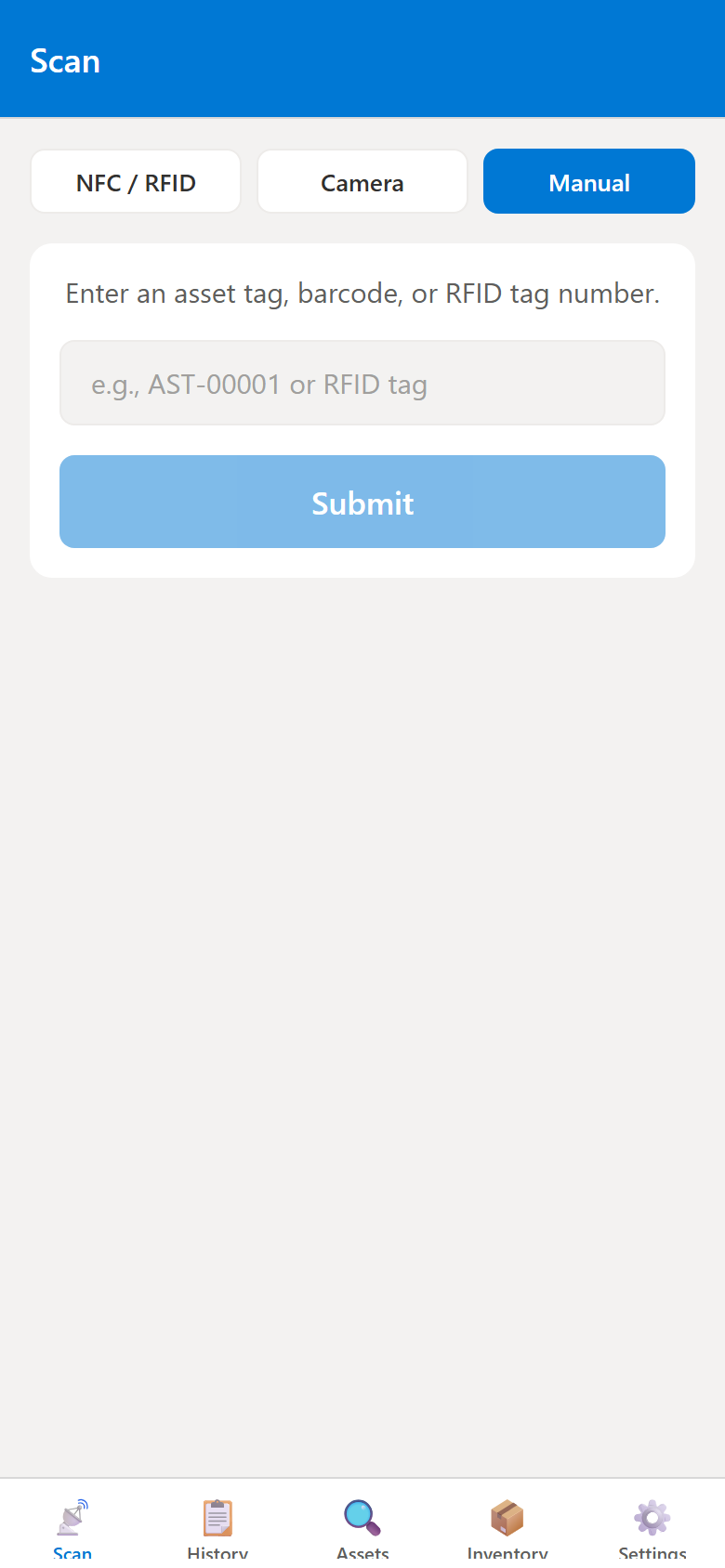
Barcode & RFID Scanner
Scan assets using camera barcode recognition, NFC/RFID tags, or manual entry. The mobile scanner supports offline operation with automatic sync when connectivity is restored.
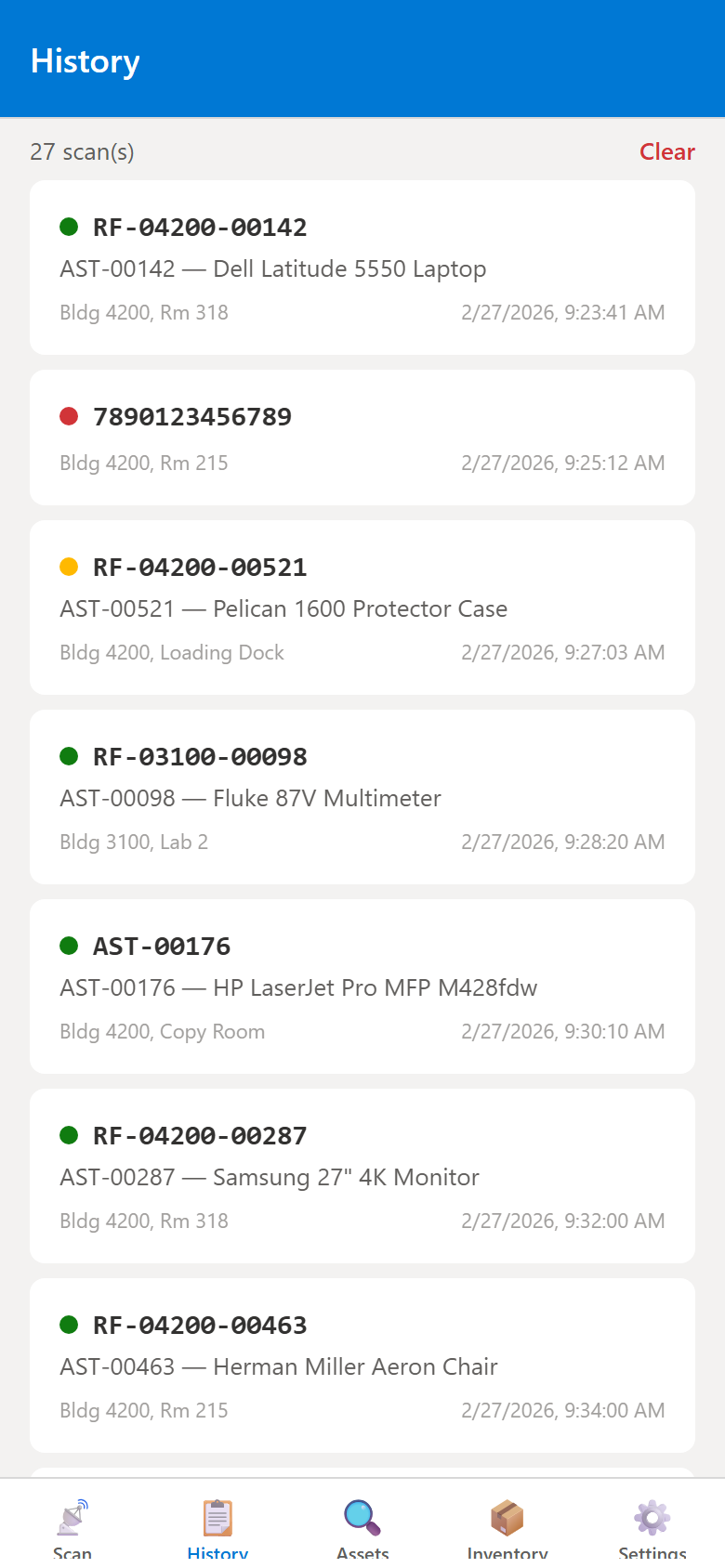
Scan History & Match Results
Complete scan history with color-coded match indicators showing whether scanned assets were found, new, or had discrepancies. View scan method (RFID, barcode, manual), location, and timestamp for each entry.
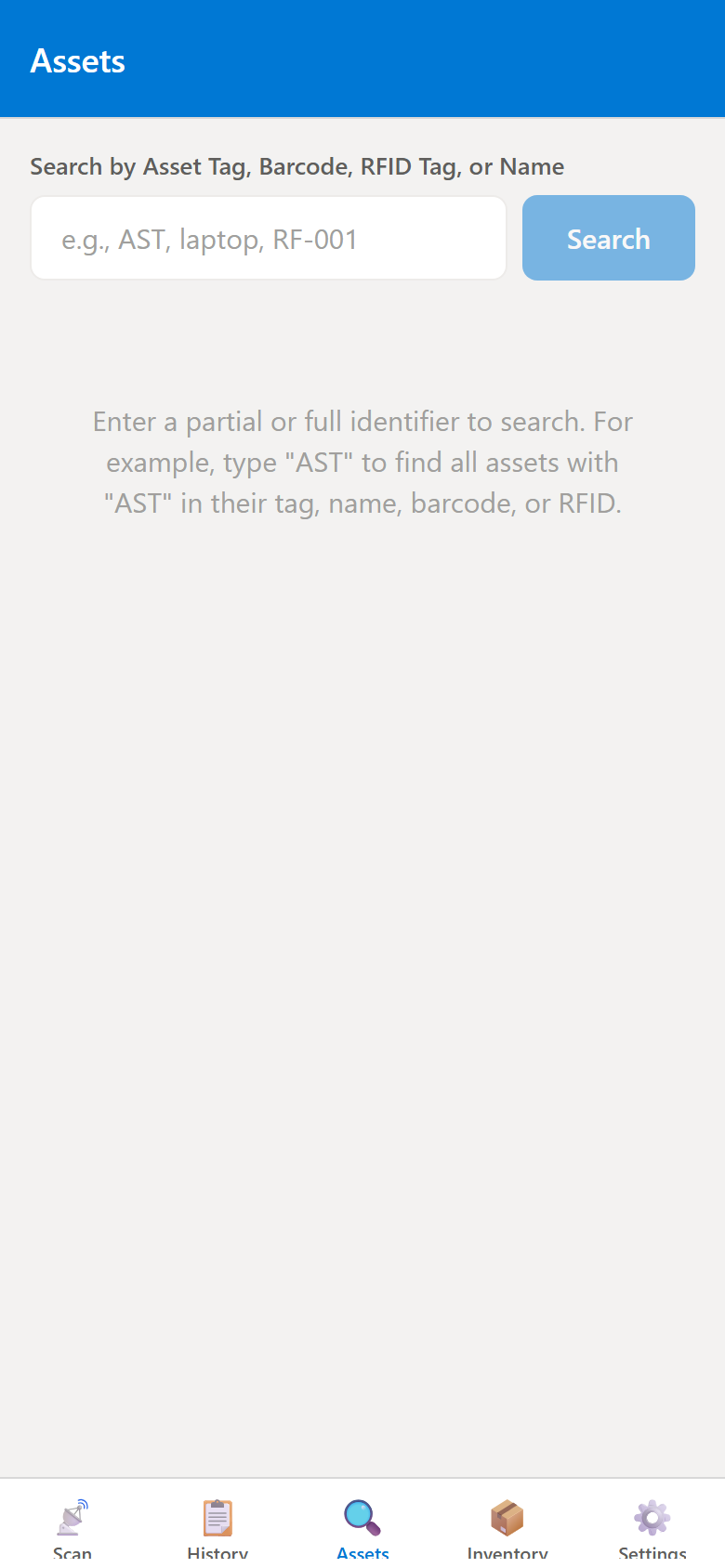
Asset Lookup & Search
Search the full asset register by name, tag number, serial number, or location. View asset details including acquisition cost, condition, custodian, and depreciation status directly from the mobile app.
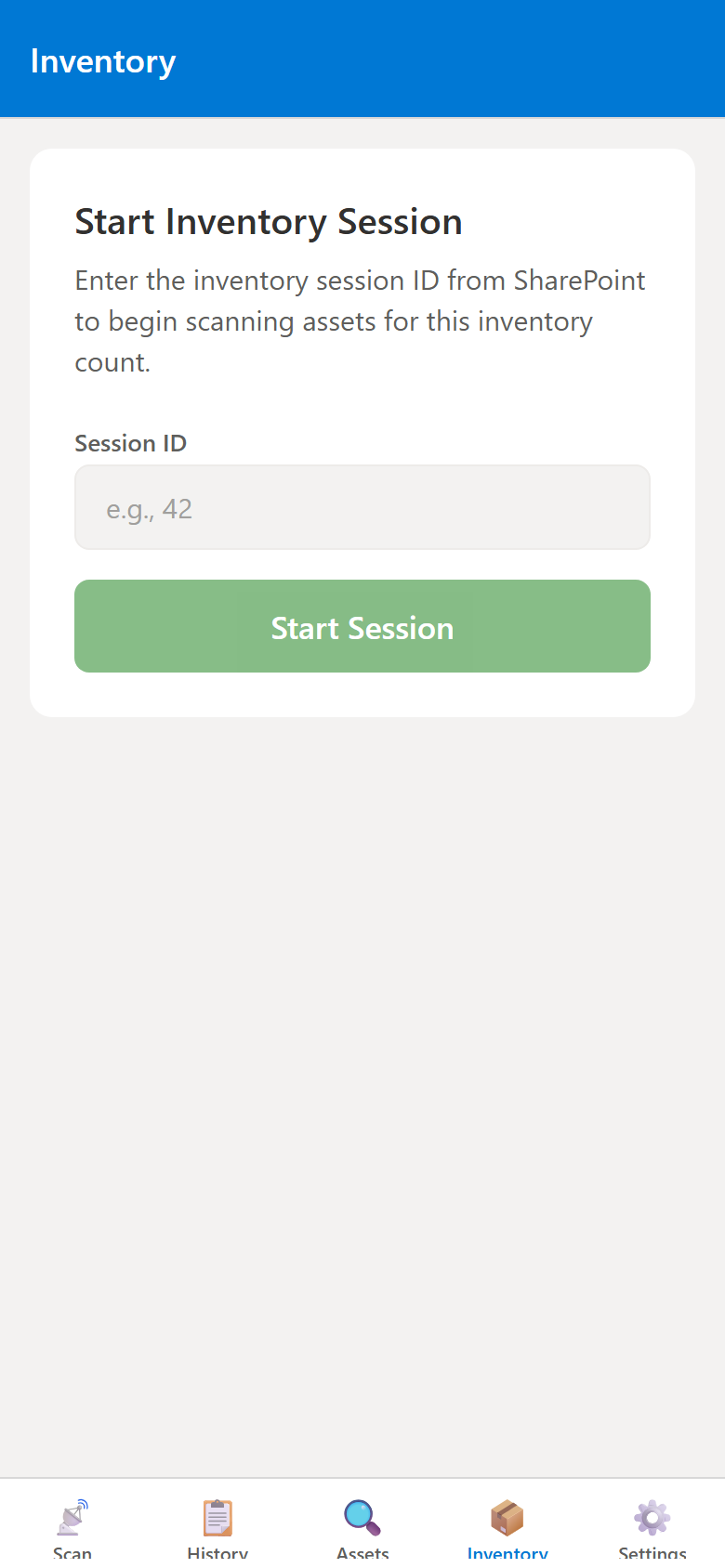
Physical Inventory Sessions
Conduct physical inventory sessions with real-time progress tracking. Assign locations, scan assets in the field, and reconcile counts against the register to identify missing or surplus items.
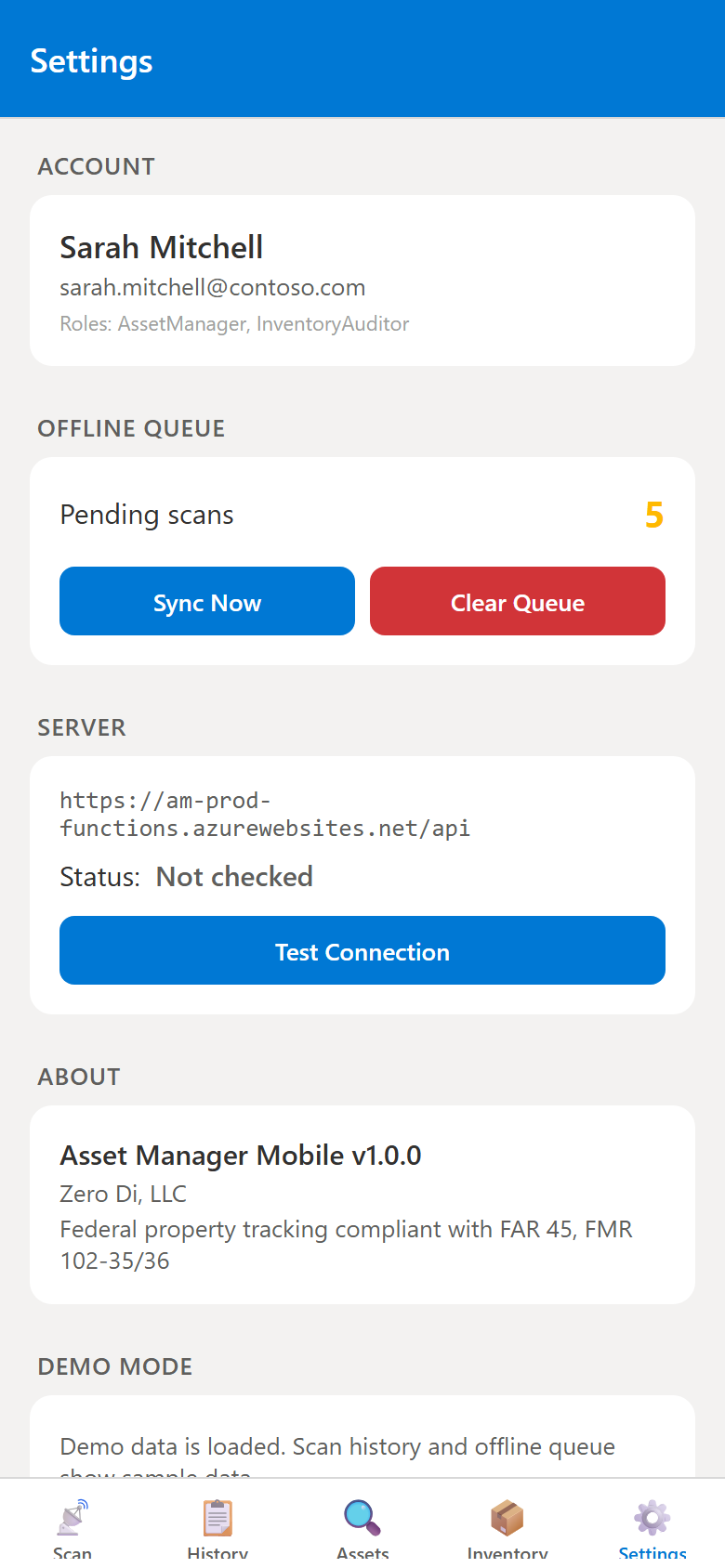
Settings & Offline Queue
Manage account settings, monitor offline queue status, and configure server connectivity. The offline queue automatically syncs pending scans and updates when network access is available.
Key Features
RFID & Barcode Scanning
Scan assets using NFC/RFID readers, camera-based barcode recognition, or manual tag entry. Supports all common barcode formats and ISO 14443/15693 NFC tags for flexible field operations.
Cross-Platform Mobile App
Native mobile app for iOS and Android built with React Native and Expo. GPS location tagging, offline scan queue with automatic sync, and push notifications for transfer approvals.
Custody Transfer Workflows
Transfer asset custody between individuals with approval workflows. Track the complete chain of custody with digital signatures, timestamps, and condition documentation at each handoff.
Physical Inventory Sessions
Create inventory sessions by location, assign scanning teams, and track real-time progress. Automatically identify missing, surplus, and matched assets with reconciliation reports.
Asset Depreciation Tracking
Calculate asset depreciation per SFFAS 6 (Federal) and GAAP standards. Track acquisition cost, useful life, salvage value, and current book value with automated depreciation schedules.
Compliance Dashboards & Reporting
Visual dashboards with compliance scorecards, overdue maintenance alerts, and audit finding summaries. Export reports to Excel, Word, and PDF for auditors and stakeholders.
Use Cases
Federal Property Management
Track government-furnished property (GFP) and contractor-acquired property (CAP) per FAR 45/52.245. Maintain property records, conduct physical inventories, and produce DD Form 1662 reports.
IT Asset Management
Track laptops, monitors, servers, and network equipment. Assign custody to employees, schedule maintenance, and manage end-of-life disposal with complete audit trails.
Facility & Equipment Tracking
Manage building equipment, lab instruments, vehicles, and tools. Schedule preventive maintenance, track calibration dates, and monitor warranty expiration across multiple sites.
Audit Preparation & Compliance
Prepare for DCMA property audits and internal reviews. Track audit findings, corrective actions, and resolution timelines with automated compliance scoring and trend analysis.
Technical Details
SharePoint Framework (SPFx)
Four native SPFx web parts: Asset Register (CRUD), Asset Dashboard (analytics), Asset Admin (configuration), and Asset Scanner (mobile interface). Deployed to your tenant app catalog.
Azure Functions Backend
Nine serverless API endpoints for scan processing, asset search, transfer approvals, compliance checks, depreciation calculations, and automated maintenance and inventory reminders.
Data Stays in Your Tenant
All asset records, scan logs, transfer history, and documents are stored in SharePoint lists and libraries within your Microsoft 365 environment. No external databases.
FedRAMP-Compliant Security
Comprehensive audit logging (AU-2/AU-3), role-based access control (AC-3/AC-6), input validation (SI-10), and 365-day log retention (AU-11) for federal compliance requirements.