
Req Man
Enterprise Requirements Management for SharePoint Online
Req Man delivers full-lifecycle requirements engineering for SharePoint Online. Organize requirements into hierarchical modules with typed traceability links and automatic suspect detection. Baseline modules, compare versions, manage formal change requests through configurable workflows, and conduct structured reviews. Define custom attributes per module, import from Excel, and export to Word, PDF, and Excel. Built for systems engineers, program managers, and compliance officers working on defense, aerospace, and regulated-industry projects.
Unlimited users per site · 30-day free trial · No purchase required to start
Buy NowScreenshots
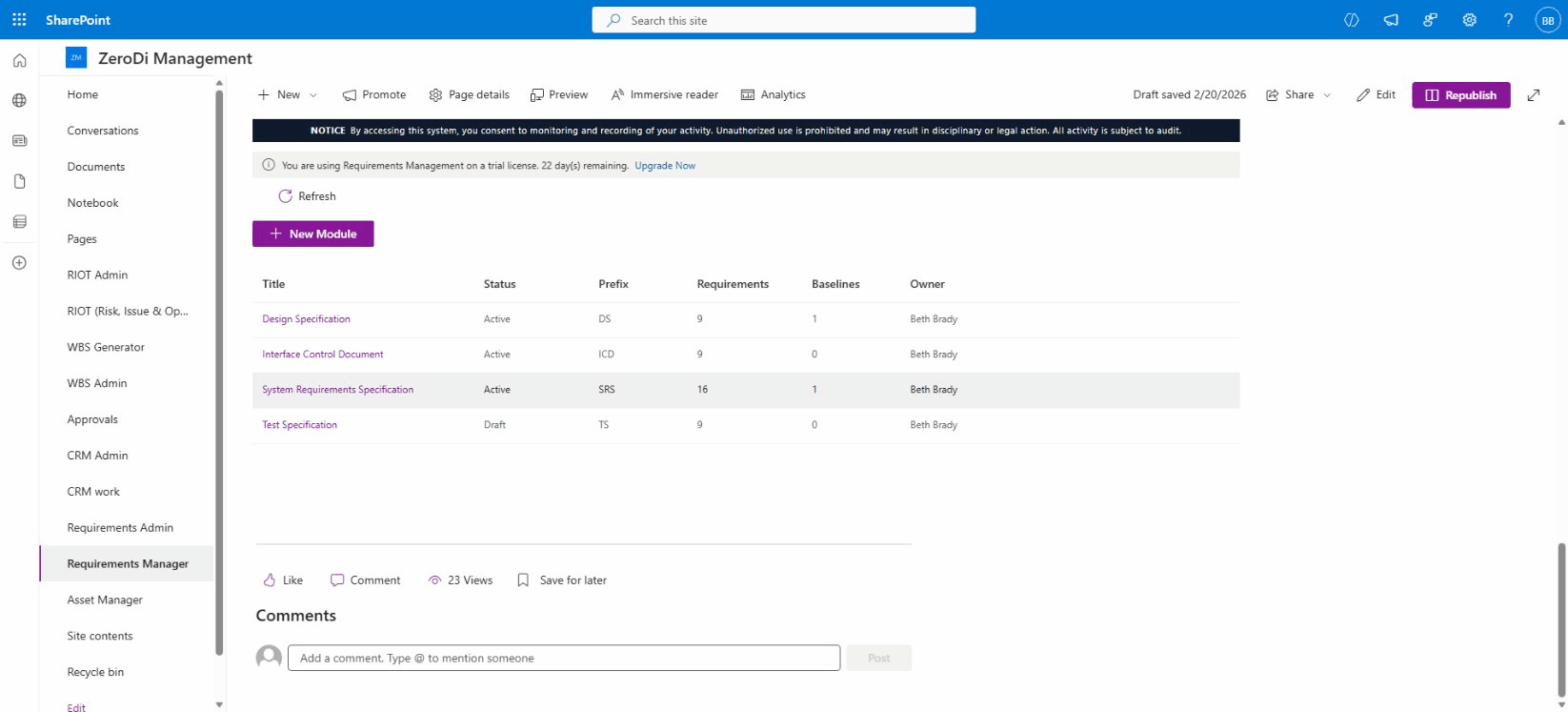
Module Explorer
Organize requirements into separate modules — System Requirements Specification, Design Specification, Interface Control Document, and Test Specification — each with unique prefixes, requirement counts, baseline tracking, and assigned owners.
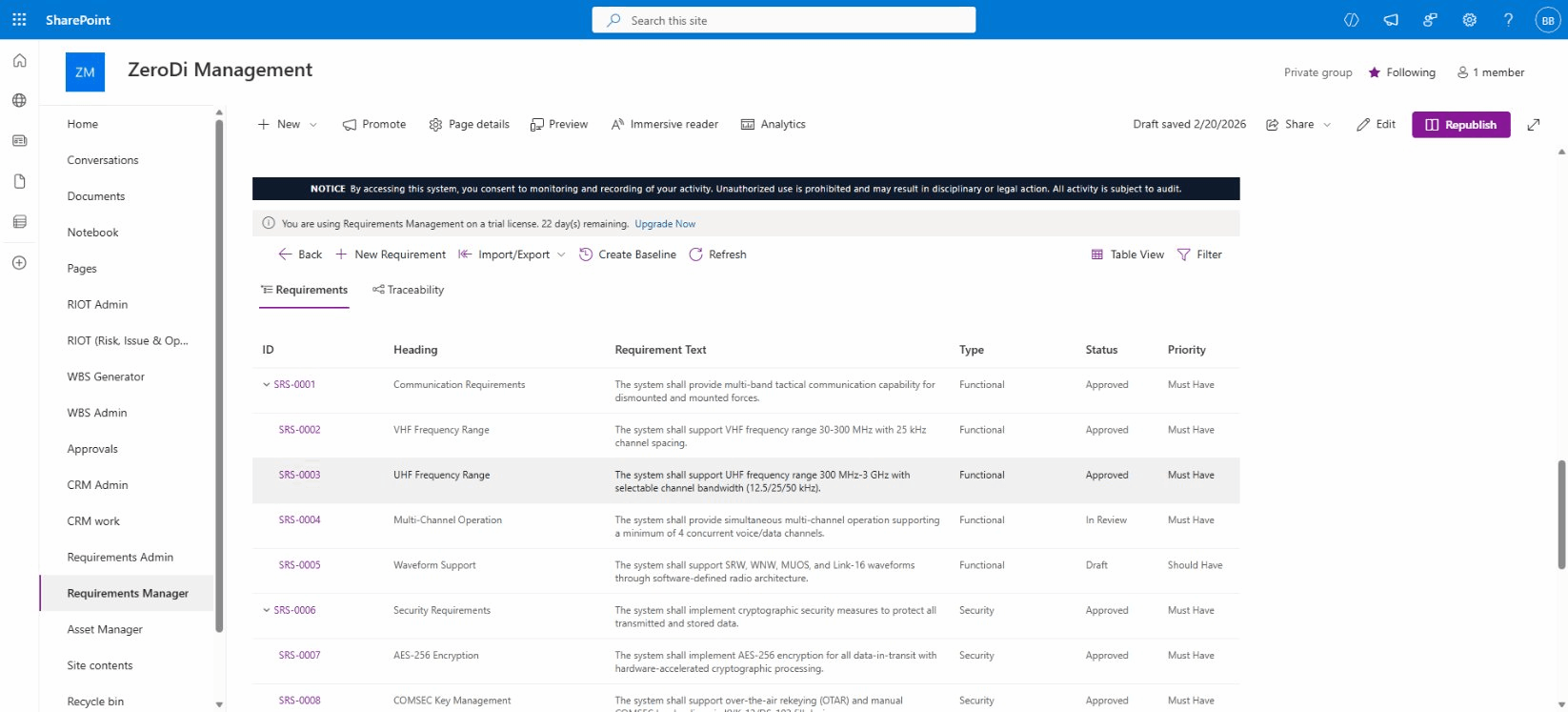
Requirements Tree
Browse requirements in a hierarchical tree with parent-child relationships. Columns show ID, heading, requirement text, type, status, and priority. Expand and collapse requirement groups for focused editing.
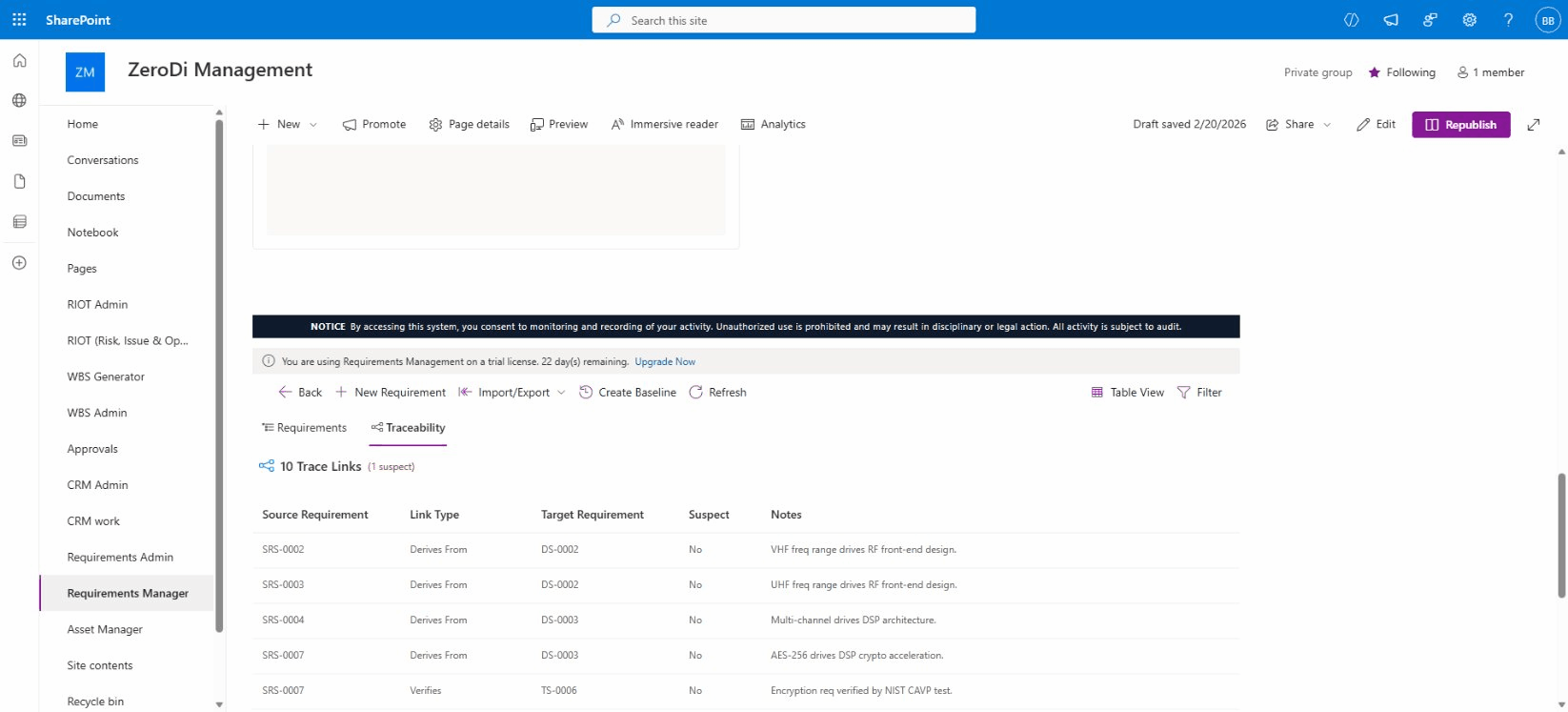
Traceability & Suspect Detection
View all trace links across modules with source and target requirements, link types (Derives From, Verifies, Refines, Satisfies), and automatic suspect detection that flags links when linked requirements change.
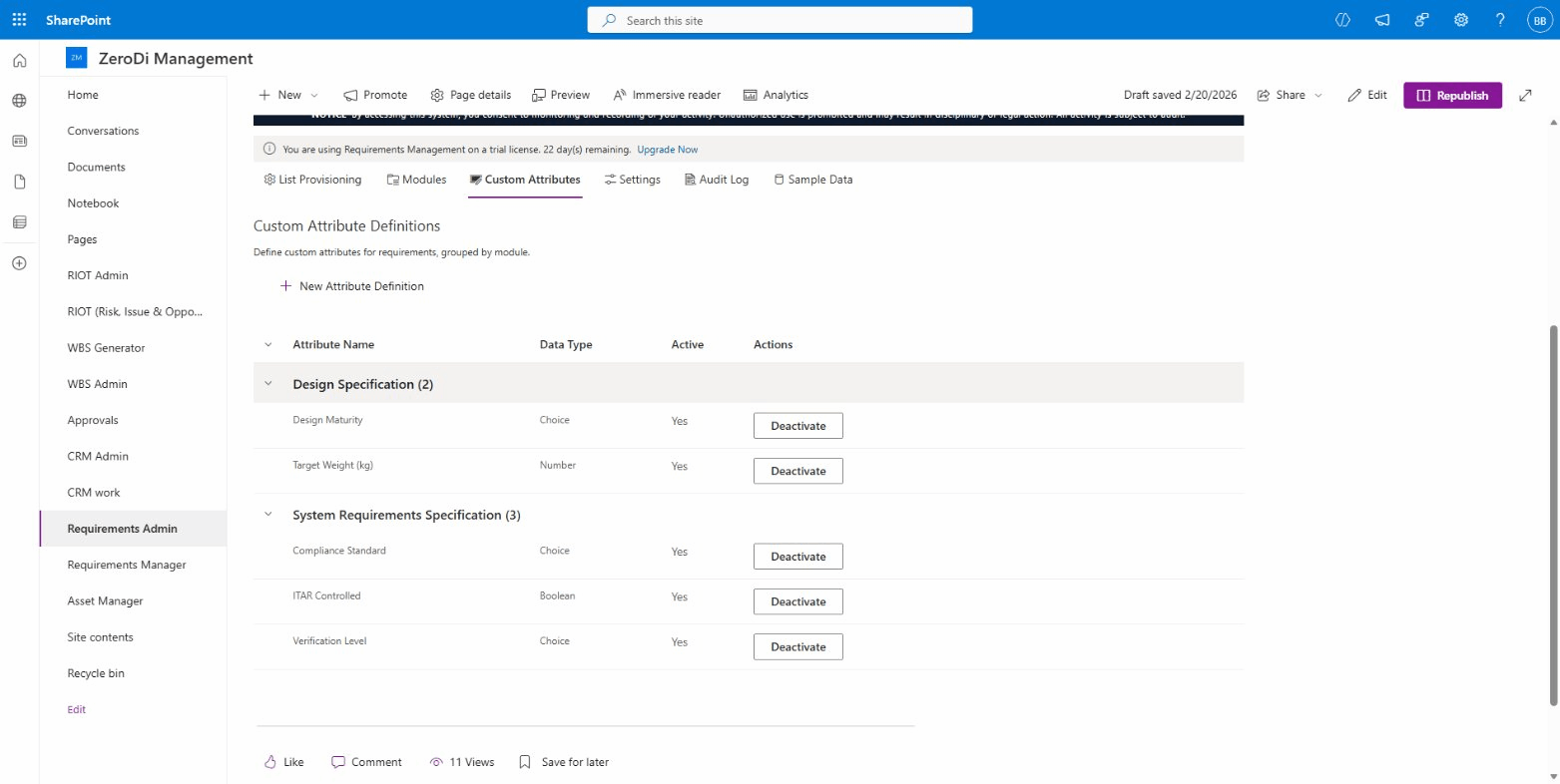
Admin — Custom Attributes
Define custom attribute schemas per module with multiple data types: Choice, Number, Boolean, Text, Date, and Person fields. Manage list provisioning, settings, audit logs, and sample data from the admin panel.
Key Features
Hierarchical Requirement Modules
Organize requirements into modules (SRS, Design Spec, Test Spec, ICD) with unique prefixes and auto-generated IDs. Build parent-child hierarchies with automatic WBS-style numbering (1, 1.1, 1.1.1) and drag-and-drop reordering.
Typed Traceability with Suspect Detection
Create directed trace links between requirements across modules: Satisfies, Derives From, Verifies, Refines, Implements, Conflicts With, and Related To. Automatic suspect detection flags stale links when linked requirements change.
Module Baselining with Diff Comparison
Freeze immutable baseline snapshots of any module at key milestones (SRR, PDR, CDR). Compare any two baselines side-by-side to see added, removed, and modified requirements with field-level change highlighting.
Change Request Workflows
Submit, review, and track change requests through a configurable 8-state workflow: Draft, Submitted, Under Review, Approved, Implemented, Verified, Rejected, and Closed. Link affected requirements and capture impact analysis.
Formal Review Management
Create formal reviews with assigned reviewers, due dates, and review scope. Track review status from Open through In Progress to Completed with reviewer notes and action items recorded alongside each module.
Custom Attributes per Module
Define custom attribute schemas for each module: Text, Number, Choice, Date, Boolean, Multiline Text, and Person fields. Set required flags and default values. Attributes appear alongside standard fields in the requirement editor.
Excel, Word & PDF Import/Export
Import requirements from Excel with a column-mapping wizard. Export to formatted Word documents with cover page, table of contents, and traceability summary. Generate PDF reports and Excel spreadsheets preserving hierarchy.
FedRAMP-Ready Compliance Dashboard
Visual dashboards with status distribution, type breakdown, traceability coverage, suspect link counts, change request status, and review progress. Role-based access control and comprehensive audit logging for FedRAMP compliance.
Use Cases
Defense & Aerospace Programs
Manage system requirements per MIL-STD-498, track traceability for DO-178C certification, baseline at program milestones (SRR, PDR, CDR), and maintain ITAR-controlled requirement sets with full audit trails.
Regulated Industries
Track requirements for FDA, FAA, or nuclear regulatory submissions. Maintain formal traceability between stakeholder needs, system requirements, and verification procedures with baselining at each submission gate.
Enterprise IT Projects
Manage functional and non-functional requirements for large-scale IT deployments. Use MoSCoW prioritization, link requirements to design and test specifications, and track change requests through approval workflows.
Systems Engineering Teams
Build traceability matrices between stakeholder needs, system requirements, subsystem designs, and verification tests. Detect suspect links when upstream requirements change and ensure complete verification coverage.
Technical Details
SharePoint Framework (SPFx)
Three native SPFx web parts: Requirements Explorer (browse, edit, trace), Requirements Dashboard (analytics), and Requirements Admin (configuration and provisioning). Deployed to your tenant app catalog.
Threaded Comments & Collaboration
Discuss requirements in threaded comment threads. Mark comments as resolved when issues are addressed. All discussions are linked to specific requirements for full context and traceability.
Data Stays in Your Tenant
All requirement data, trace links, baselines, change requests, reviews, and comments are stored in SharePoint lists within your Microsoft 365 environment. No external databases or third-party storage.
FedRAMP-Compliant Security
Comprehensive audit logging (AU-2/AU-3), role-based access control (AC-3/AC-6), session management (AC-11/AC-12), input validation (SI-10), and system use notification (AC-8) for federal compliance requirements.